5. New Project Guide based on CDK
This document will briefly explain how to create a new CDK project based on this SDK, please make sure that the CDK IDE is properly installed before following this tutorial.
5.1. Examples directory structure
There are two levels of subdirectories under bl_mcu_sdk/examples, the first level is the folders of different peripherals. The second level is a specific test case of the peripheral, The second level directory usually also contains a directory named cdk and the source code associated with the case.
The cdk directory usually contains a xxx.cdkproj file, which is a CDK project file. If the CDK IDE is properly installed, double-click the project to open it. The newly created project should be at the same level as the case level in the current examples directory.
备注
The source file must contain the c program entry, usually the main function, the source file may not be called main.c
Create a new
my_casefolder underexamplesto store your caseCreate a new folder that needs to be tested in the
my_casedirectory, such asgpio_caseThen add the
main.cfile andcdkdirectory in thegpio_casedirectory
The directory structure is as follows:
1bl_mcu_sdk
2├── examples
3    ├── my_case
4        ├── gpio_case
5        │   ├── cdk
6        │   │   ├──gpio_case.cdkproj
7        │   ├── CMakeLists.txt
8        │   └── main.c
9        └── xxxx_case
5.2. Add cdk project related files
Since the current version of CDK does not support new pure Empty projects, please follow the steps below
Copy
helloworld.cdkprojfrom the cdk directory in thehelloworldcase to your own cdk directoryChange the file name to your case name, for example:
gpio_case.cdkprojOpen the
gpio_case.cdkprojfile with a text editor and changeProject Nameto your project name, for example:gpio_case
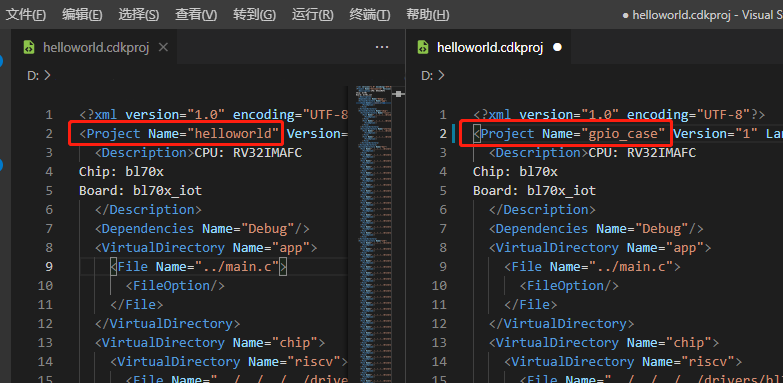
After editing, save the file and double-click
gpio_case.cdkprojto open the projectOnce you open the project, you can right-click on the appropriate folder and add the source code files you need
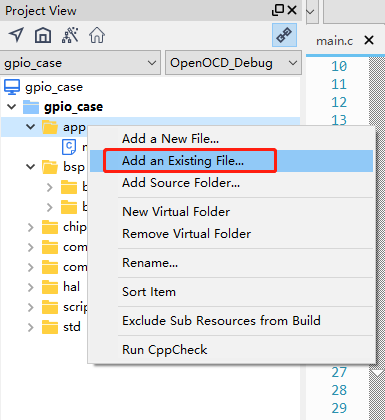
Right-click the project, open
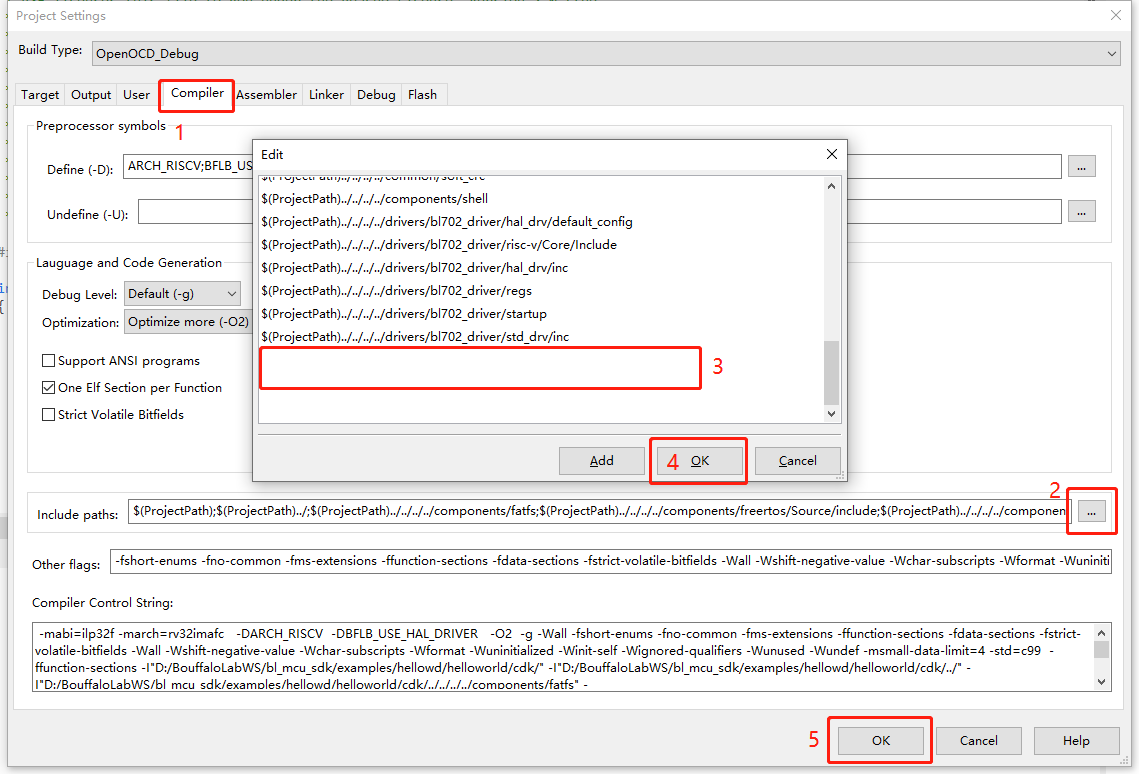
Project Settings, select the Compiler tab, and add the corresponding header files needed for the new file inInclude paths.Relative paths are recommended for header file paths
Click
OKto save the edit
In case of floating point printouts, you need to add the flag option
-u _printf_floatin the Linker tag, inOther flags, otherwise you can’t printf floating point properly

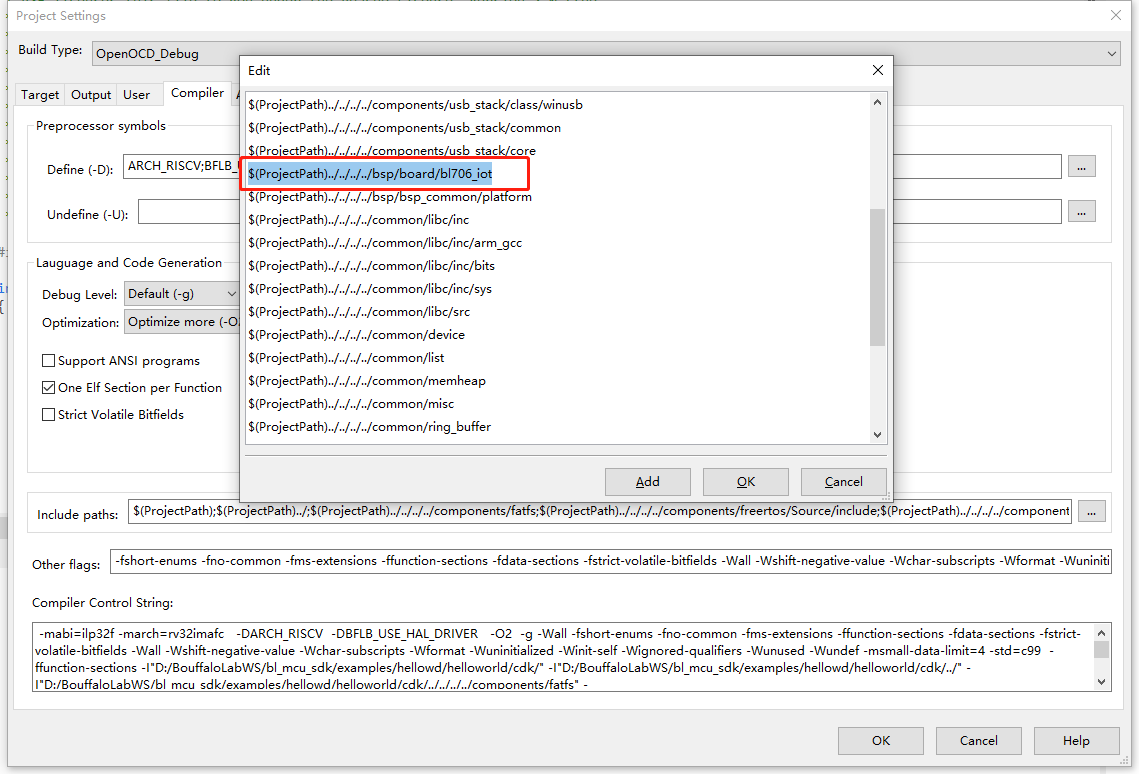
In the case of using different development boards, pay attention to choose different board file references, usually, the default configuration is bl706_iot